
Step 1: Why it happens
Payroll is done in the project currency, and the app doesn't convert currencies. Each team member has a Rate currency on their profile. If it differs from the project currency, they're left out of that project's payroll. Team members added before currency choice existed count in your default currency.
Step 2: How it shows on payroll
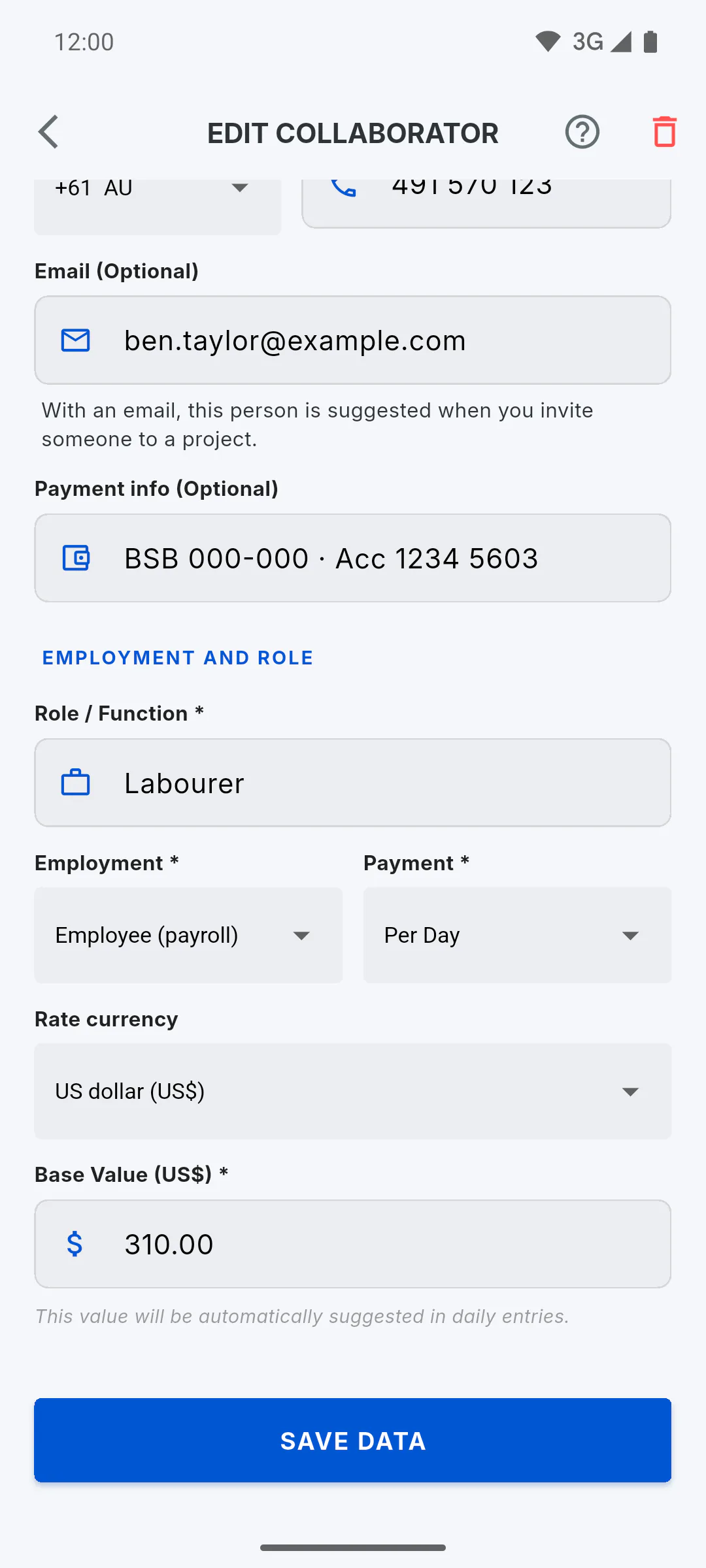
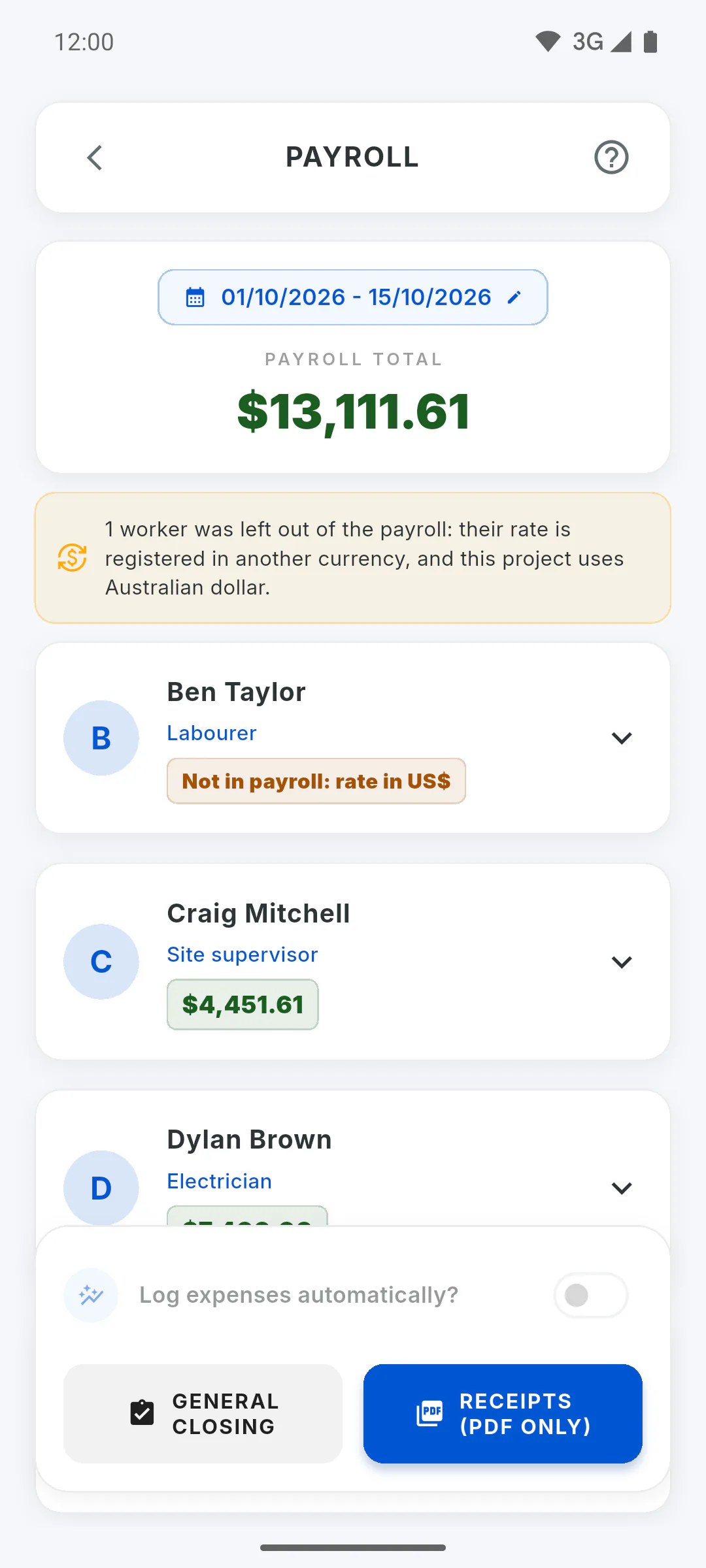
At the top of payroll you'll see a notice that starts with 1 worker was left out of the payroll: (or 2 workers were left out of the payroll:, depending on how many) and explains that the rate is registered in another currency and which currency the project uses. The person's card shows Not in payroll: rate in and the currency symbol, in orange; opened, it explains which currency the rate is in and which one the project uses. Days and absences are shown, but there are no advances or bonuses for them.
Step 3: What's left out
They're not included in the Payroll Total, the pay slips or bonuses logged as expenses. If nobody on payroll is in the project currency, the pay slip button says no worker has a rate registered in the project currency and no PDF is generated. In the general closing, they're listed in a note below the project table, outside the total.
Step 4: How to fix it
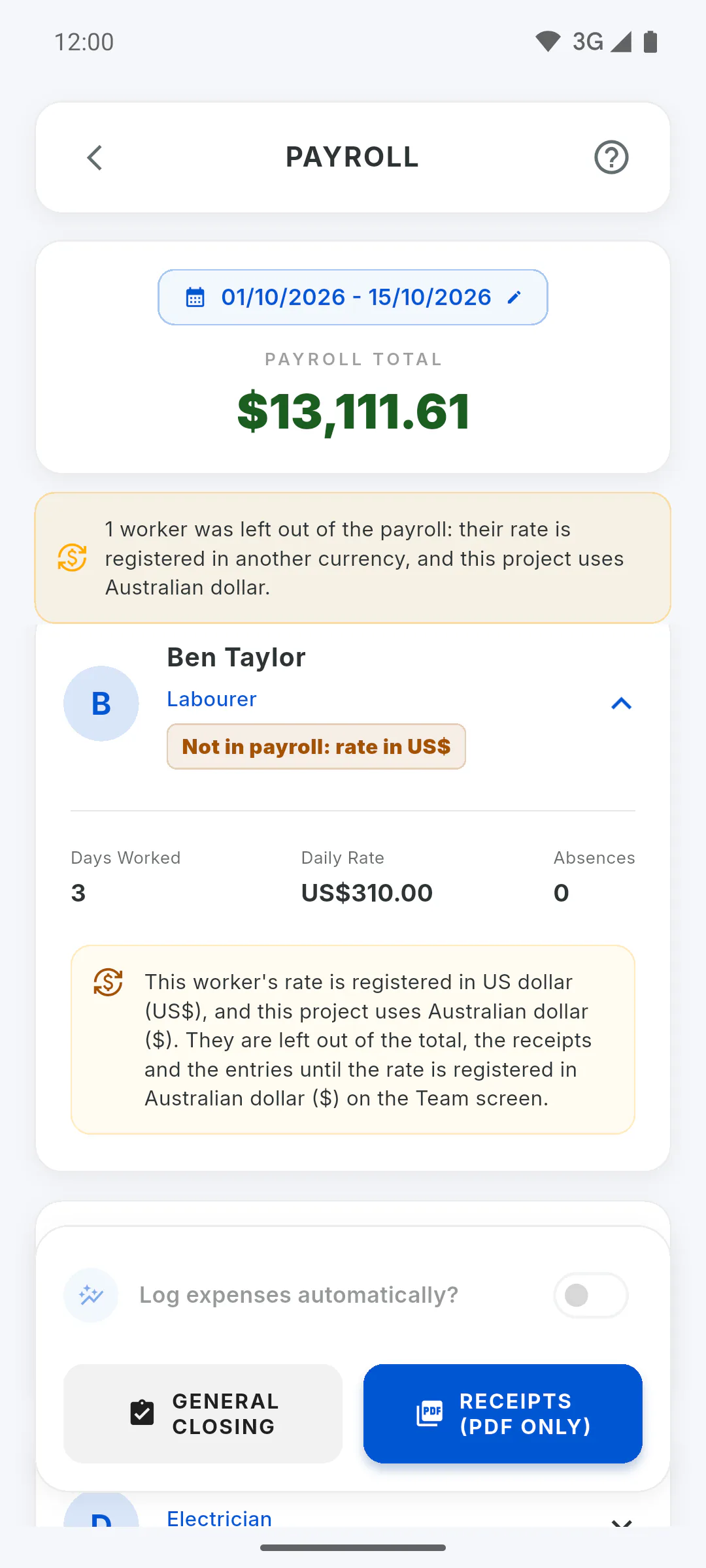
In the side menu, tap My Team, open the team member, change Rate currency to the project currency, check the Base Value and tap Save Data. When you open payroll again, they're included in the total. For day and hourly rates, days already recorded keep the rate saved in each report, now counted in the new currency.
Step 5: Projects in different currencies
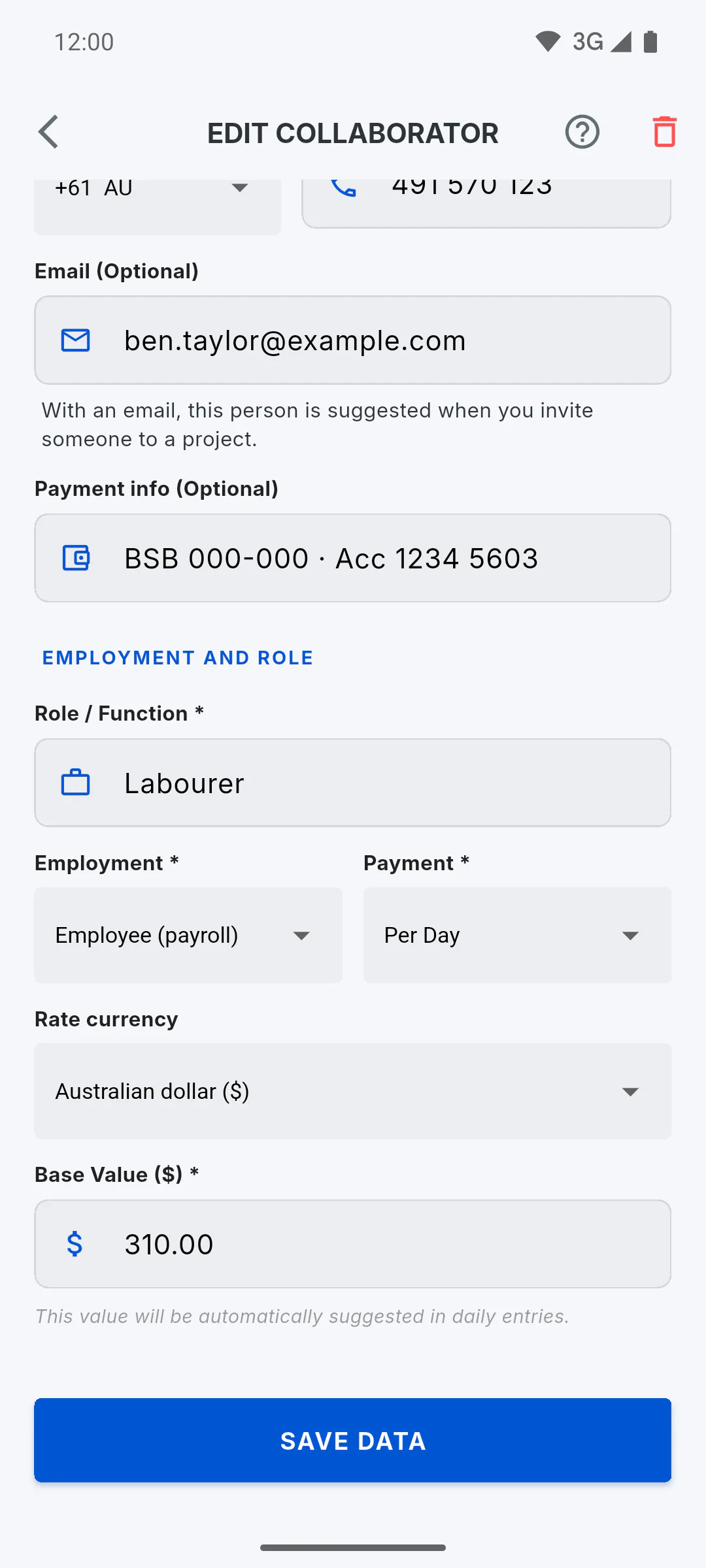
Each team member has a single currency. Someone working on projects in different currencies is included on payroll for projects that use their profile currency and left out of the others.
Left out of payroll: rates in another currency
Why a team member shows as left out of payroll when their rate is in a different currency from the project's, and how to fix it.
For managers5 steps
Didn't find what you were looking for?
Chat with support on WhatsApp or raise a ticket in the app.