
Step 1: How many reports
On the free plan, you can create up to 7 PDF reports a month. The limit covers all the app's PDF reports, such as the daily report PDF, the Measurement Report and the financial statement. The count resets on the 1st of each month, Brasília time. On PRO, there's no limit.
Step 2: Where to track it
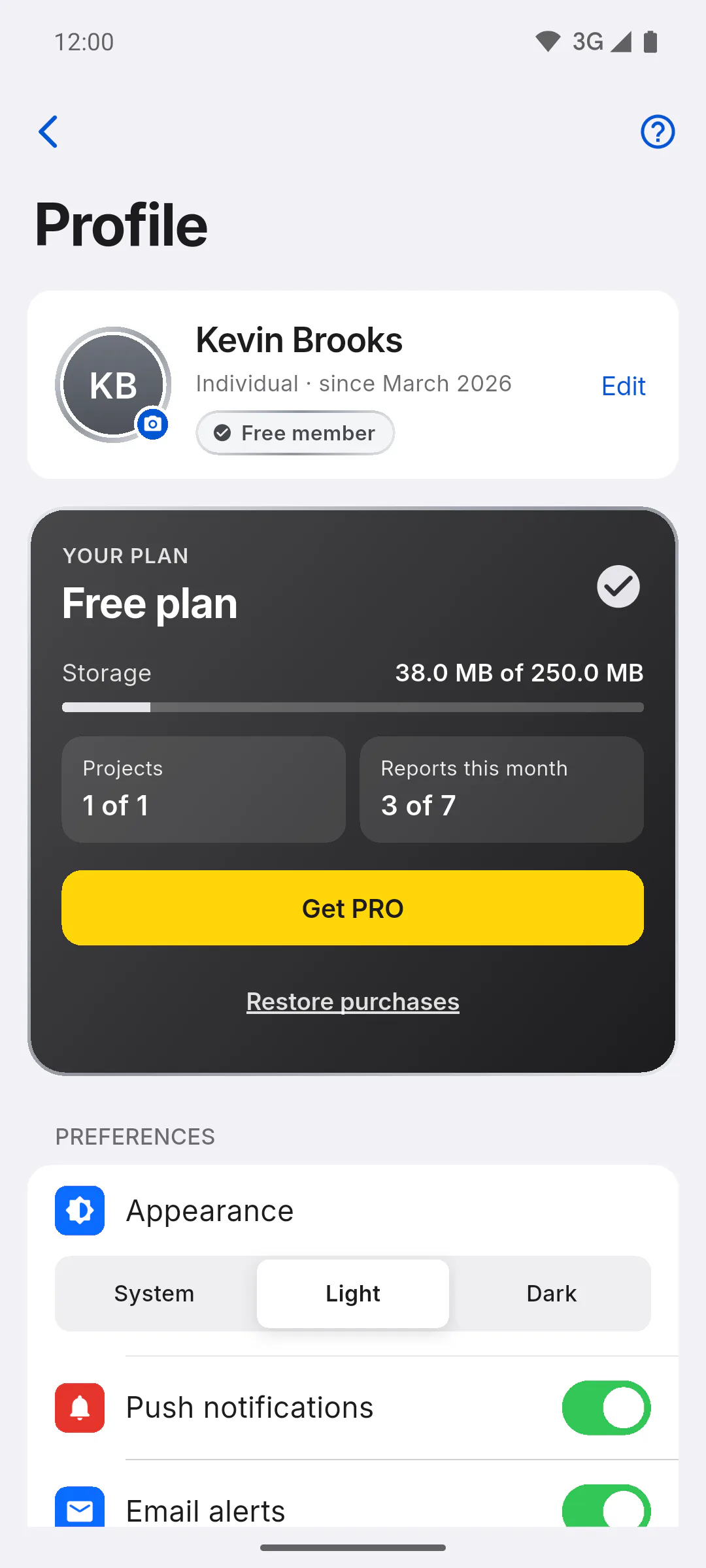
In Profile, on the YOUR PLAN card, the Reports this month box shows how many you've created, as in 3 of 7.
Step 3: What counts
Every PDF you create counts as one, even if you close the share or save window without keeping the file. Create the PDF only when you need it.
Step 4: When you run out
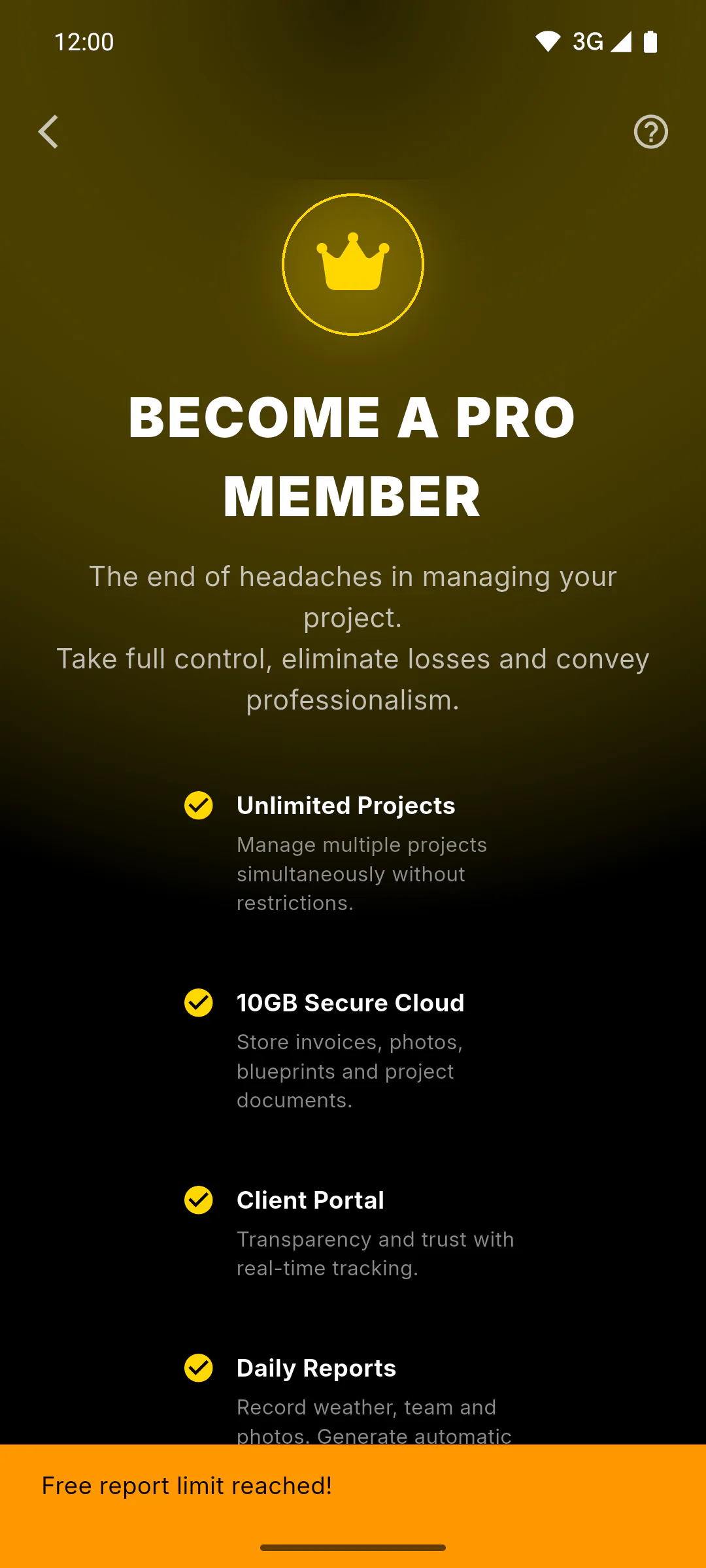
When you try to create another one, the Become a PRO Member screen opens and You've reached this month's free report limit. appears. Wait until the 1st of next month or upgrade to PRO.
Step 5: Watermark and logo
On the free plan, the daily report PDF comes with a diagonal Free Version watermark, the app logo and Generated by Obra Fácil in the footer. Other reports carry the same watermark and footer note. On PRO, PDFs have no watermark and carry your logo, if you've added one.
Step 6: Guests on a PRO owner's project
If you're invited to a project whose owner is PRO, you can create that project's daily report PDFs without being blocked by the limit. Even so, those PDFs still count toward your monthly total and carry the watermark if you're on the free plan. Other reports follow the plan of whoever creates them.
PDF report limit and watermark on the free plan
On the free plan, you get 7 PDF reports a month, with a watermark. See what counts, where to track it and what to do when you run out.
For managers and team members6 steps
Didn't find what you were looking for?
Chat with support on WhatsApp or open a ticket right in the app.