
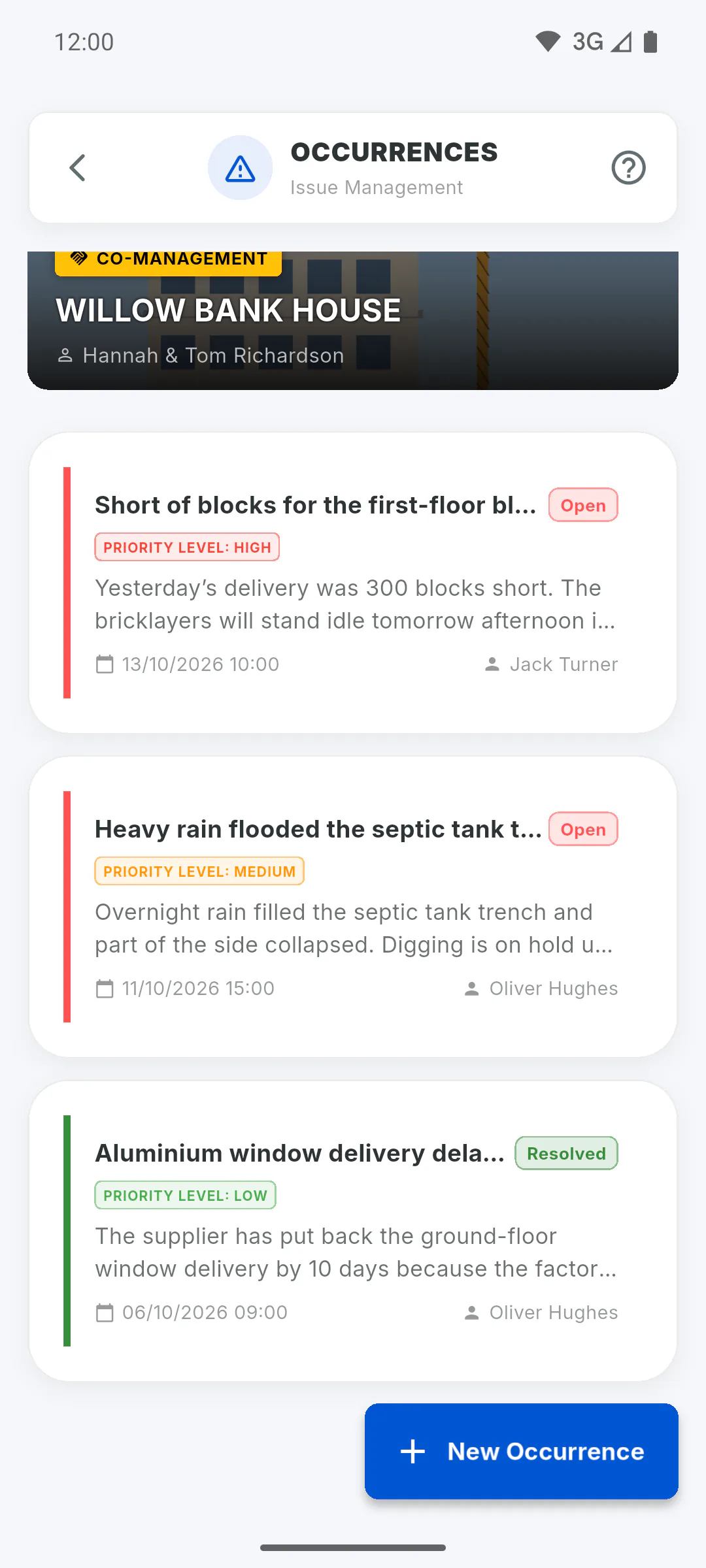
Step 1: Everyone working on the project sees them all
The project owner and the invited engineer and team members see every occurrence on the project, including ones they didn't register or weren't tagged in. The list shows the most recent first, 10 at a time: scroll down to see more.
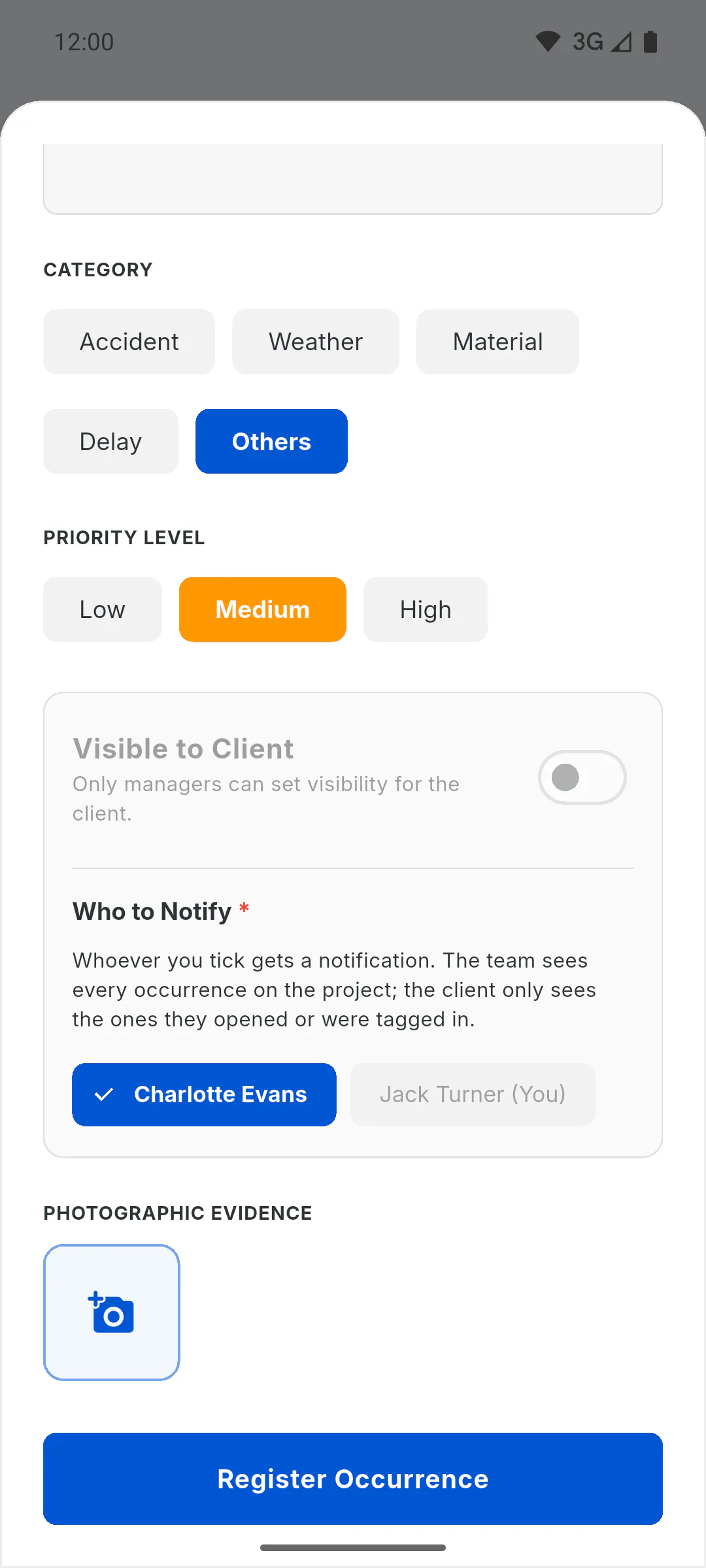
Step 2: The client only sees some
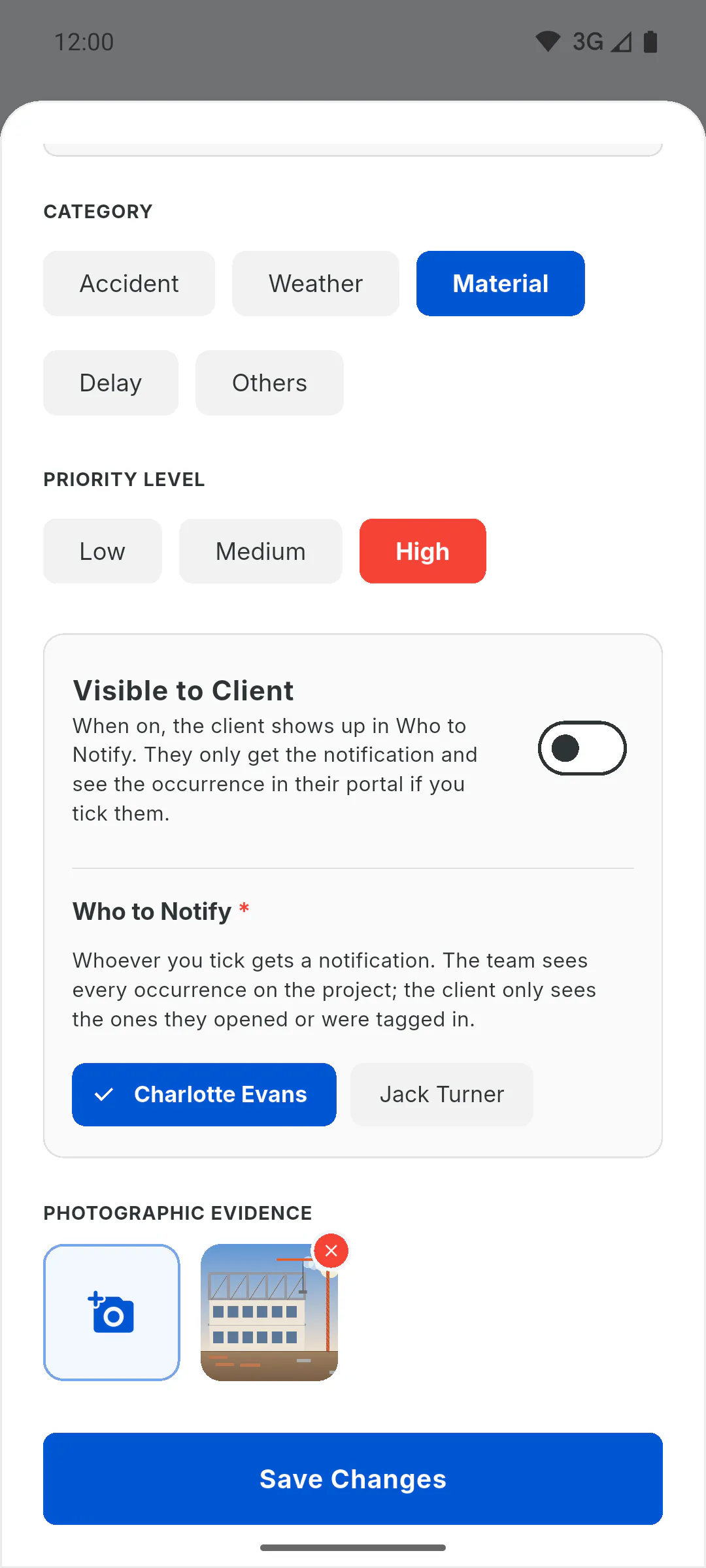
In the Client Portal, the client only sees the occurrences they opened themselves and the ones they were tagged in under Who to Notify. To tag the client, Visible to Client has to be on. For team members, that switch is locked and shows Only managers can set visibility for the client.: How to show an occurrence to the client.
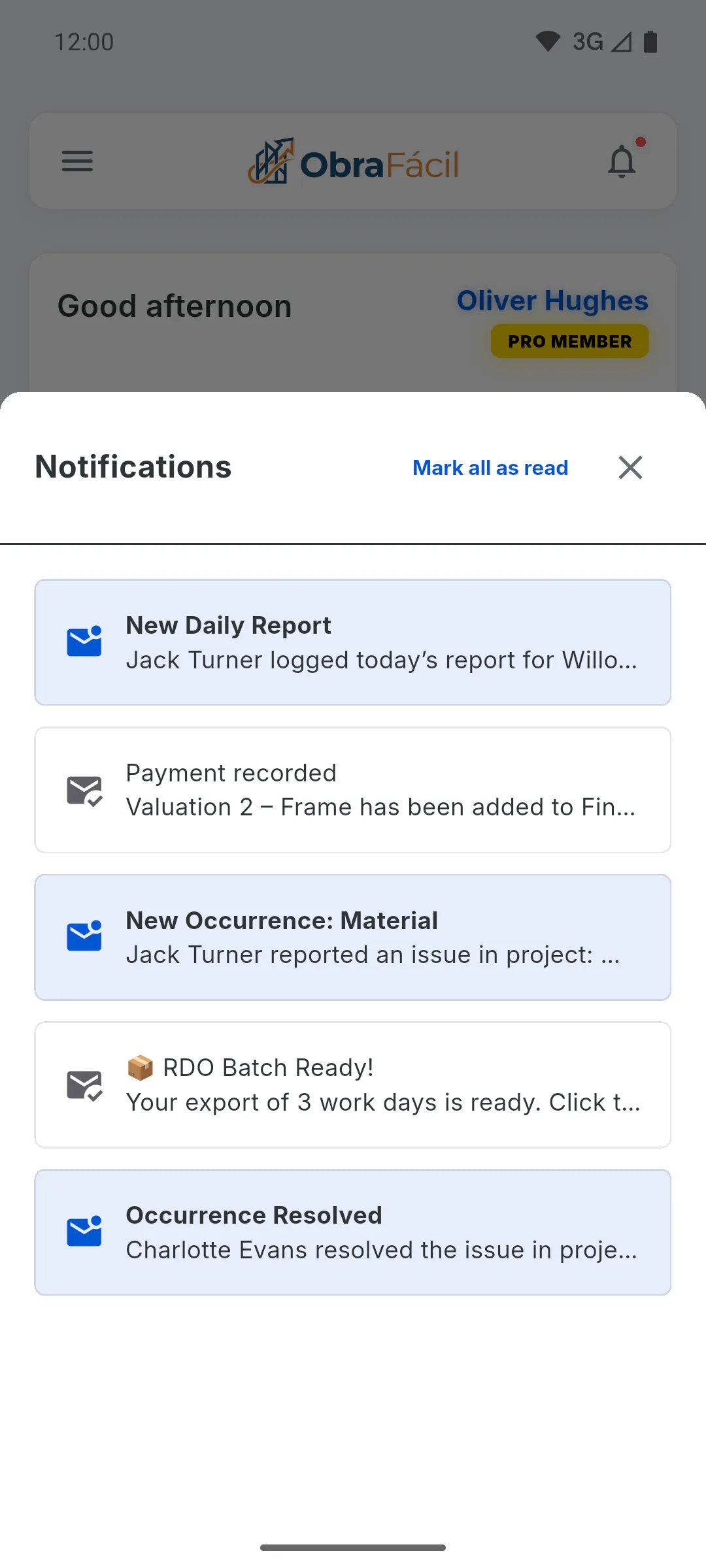
Step 3: Who is notified about a new occurrence
The project owner is always notified, along with everyone tagged under Who to Notify. The person who registered it isn't. The notification goes to the bell in the app, titled New Occurrence: followed by the category; it isn't sent as a mobile notification or by email. Tapping it shows the text but doesn't open the occurrence: open it from the project's Occurrences menu.
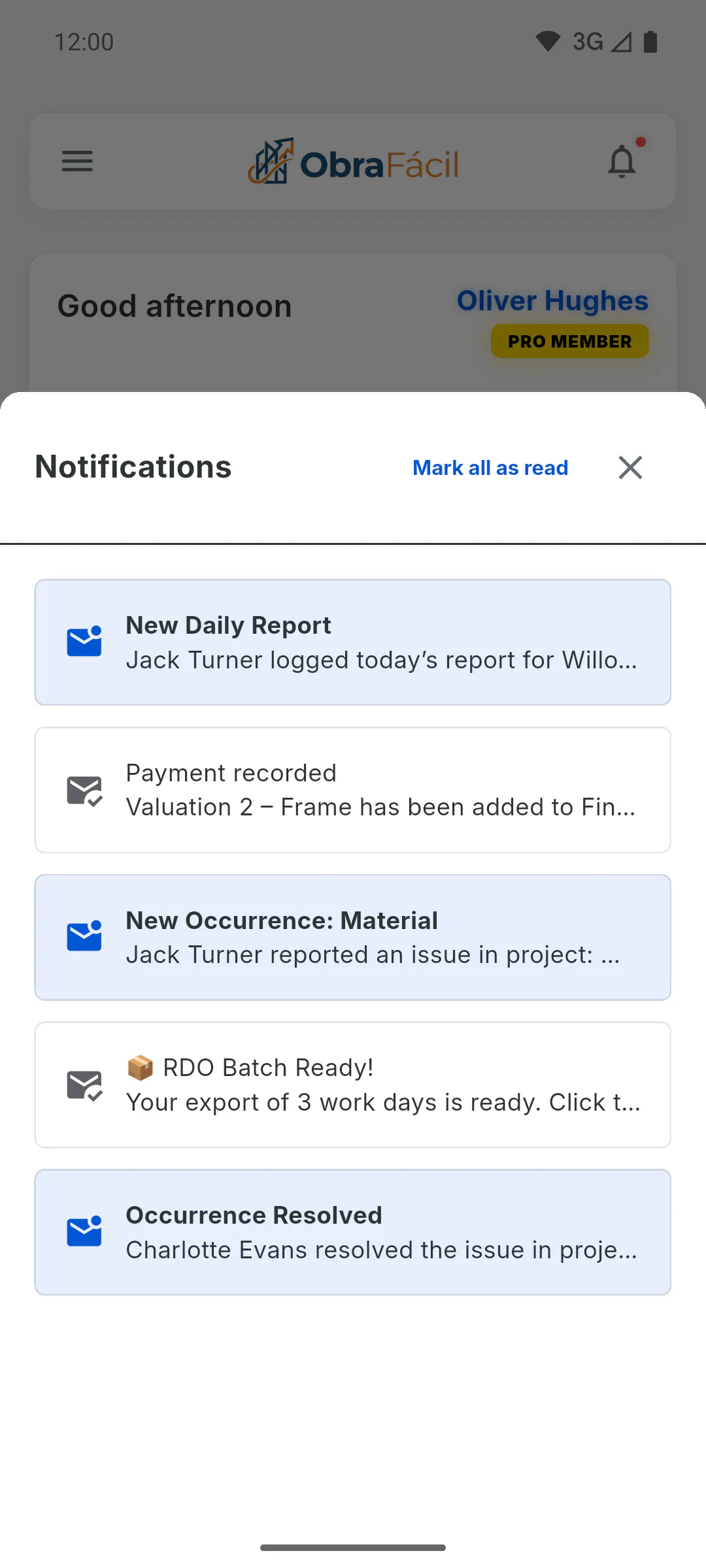
Step 4: Who is notified when it is resolved
When someone marks the occurrence as resolved, the Occurrence Resolved notification goes to the person who registered it, the project owner and everyone tagged when it was opened, except whoever resolved it.
Step 5: And when it is edited
If the person editing tags someone new under Who to Notify, only that person gets a notification. People who were already tagged aren't notified again. More about the bell: How bell notifications work.
Who gets notified and who can see each occurrence
Learn who is notified about an occurrence, who can see each one on the project and what the client sees in the Client Portal.
For managers and team members5 steps
Didn't find what you were looking for?
Chat with support on WhatsApp or raise a ticket in the app.