
Step 1: What the client always sees
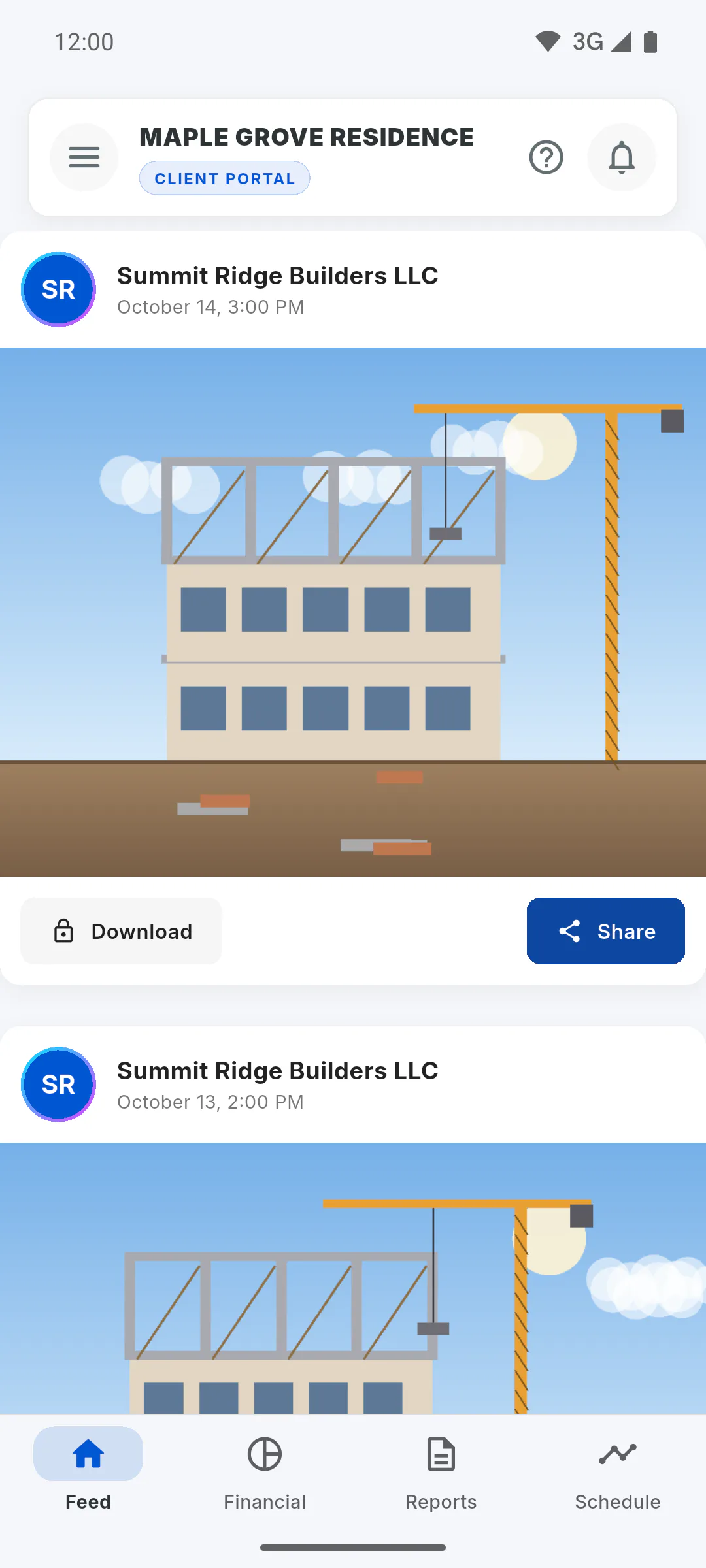
Once invited, the client follows the project in the Client Portal, even without Client Access:
- The project cover with the project name and status (the status can be hidden by the manager using Show project status);
- Feed and Project Gallery: the photos in the project album, view only;
- Financial summary: Overall Physical Progress, Contract Value and Total Paid;
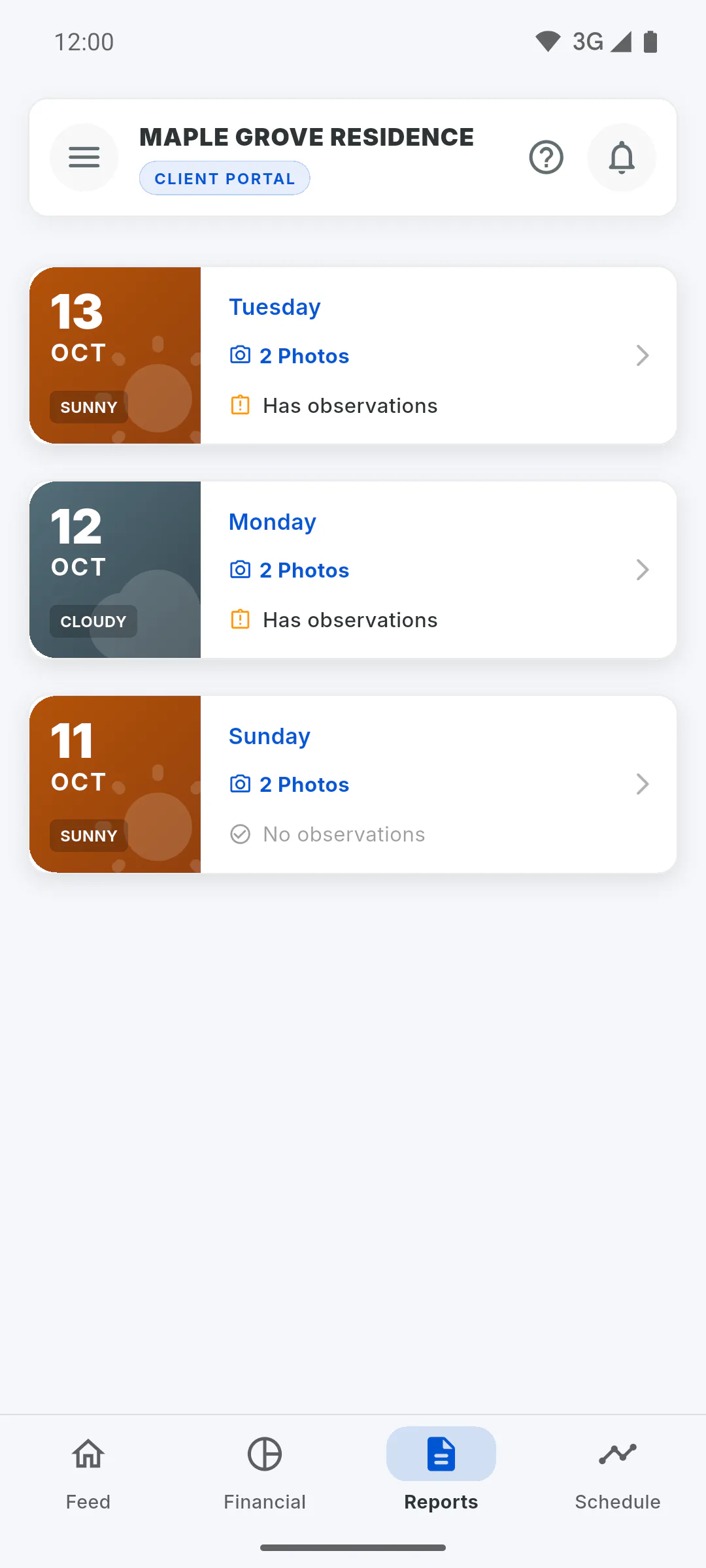
- Reports: the list and each daily report;
- Schedule summary, with progress, deadline and phases;
- Occurrences you tagged the client in, plus the notification bell.
Step 2: What Client Access unlocks
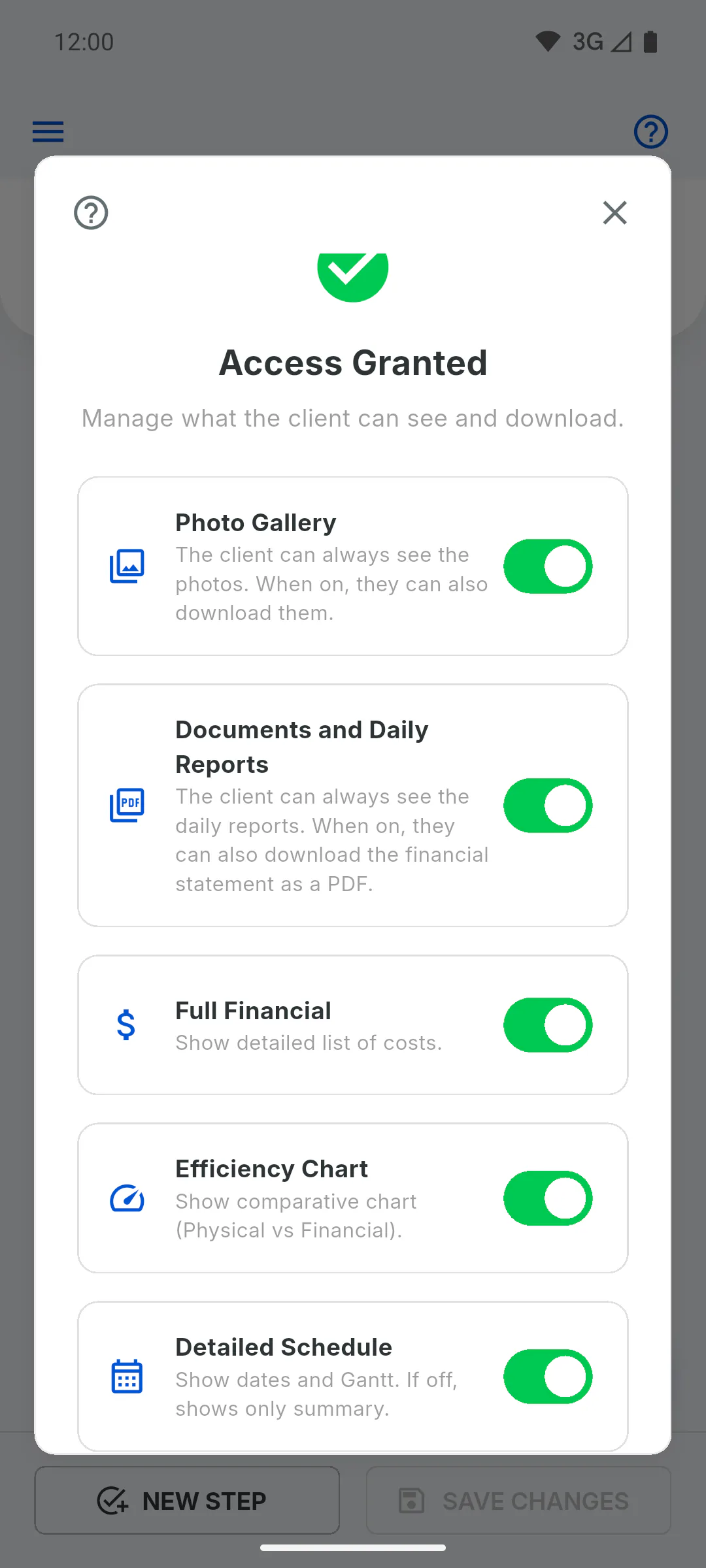
With the project unlocked, each feature depends on a switch you turn on in the client settings (which also includes Show project status, turned on by default):
- Photo Gallery: download and share photos in the Feed and Project Gallery, and request Download All;
- Documents and Daily Reports: currently, unlocks the button to export the PDF statement in the client's Financial tab;
- Full Financial: list of transactions, filters and indicators;
- Efficiency Chart, Detailed Schedule, Workforce in Daily Reports and Client can create occurrences.
- How to choose what the client can see and download
Step 3: What doesn't need Client Access
Inviting the client, notifications in the bell and reading daily reports all work without Client Access. The Portal has no daily report PDF download: if the client needs the file, send it yourself.
Step 4: Download All has its own rules
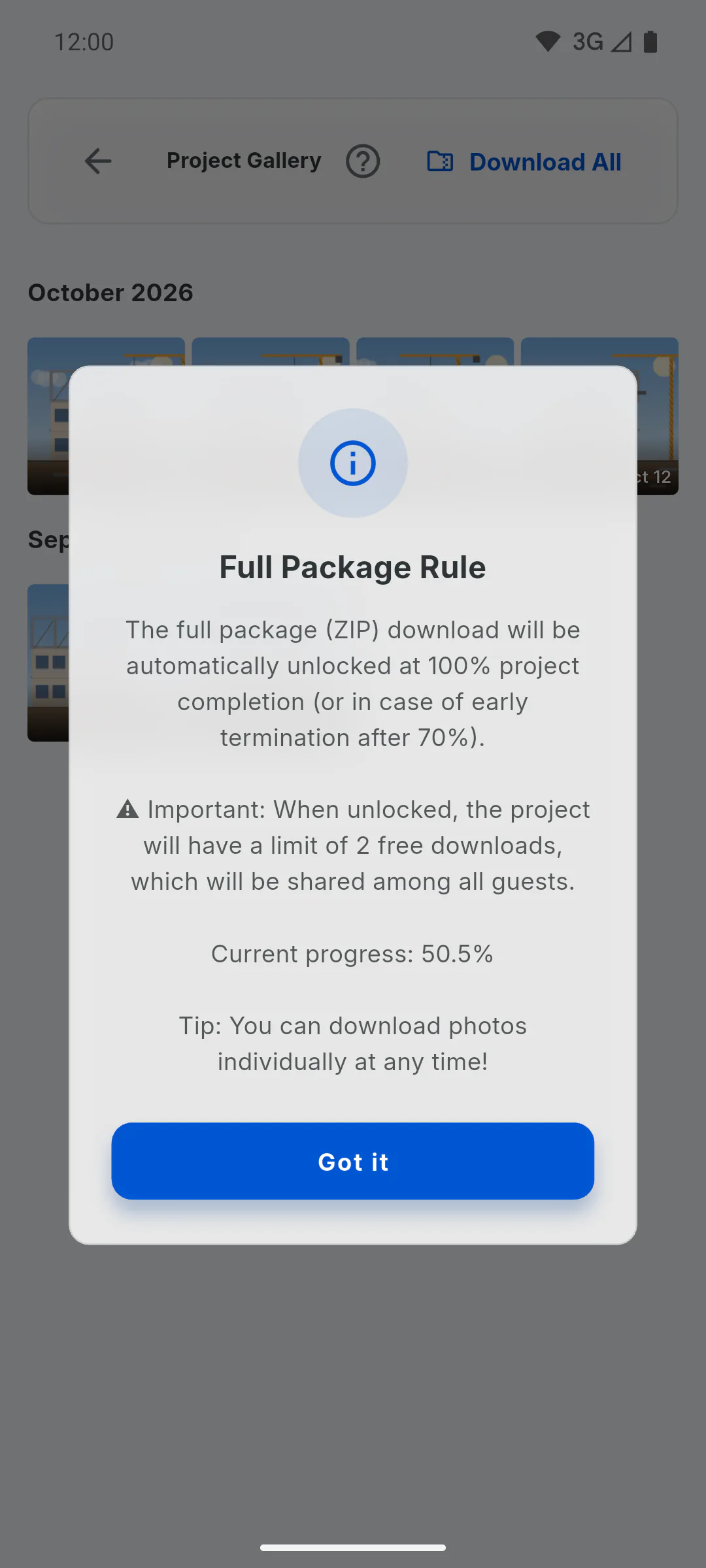
Even with Photo Gallery on, the package with every photo is only released when the project is at 100% or the client is in the grace period, and there is a limit on package downloads per project. Single photos can be downloaded without limit.
What your client sees with and without Client Access
See what your client can follow in the Portal at no cost, and what they can see and download once you unlock Client Access for the project.
For managers4 steps
Didn't find what you were looking for?
Chat with support on WhatsApp or open a ticket right in the app.