
Step 1: Where the numbers come from
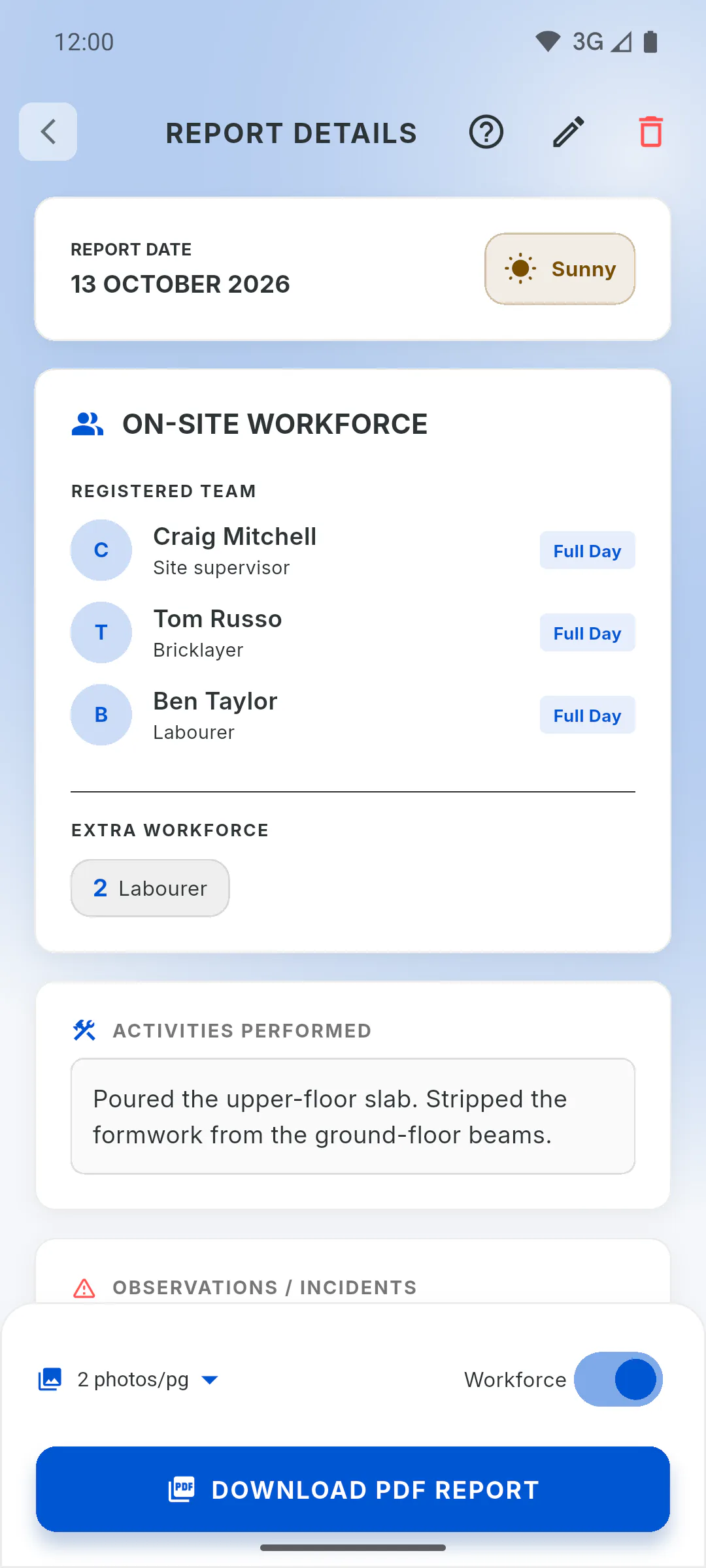
Payroll reads the project's daily reports for the period: who was present, whether it was a Full Day or Half Day, the hours of people paid by the hour, and the absences marked. A day with no report isn't counted and is never an absence: an absence only exists when it's marked in a report. The pay type is the one on the team member's profile.
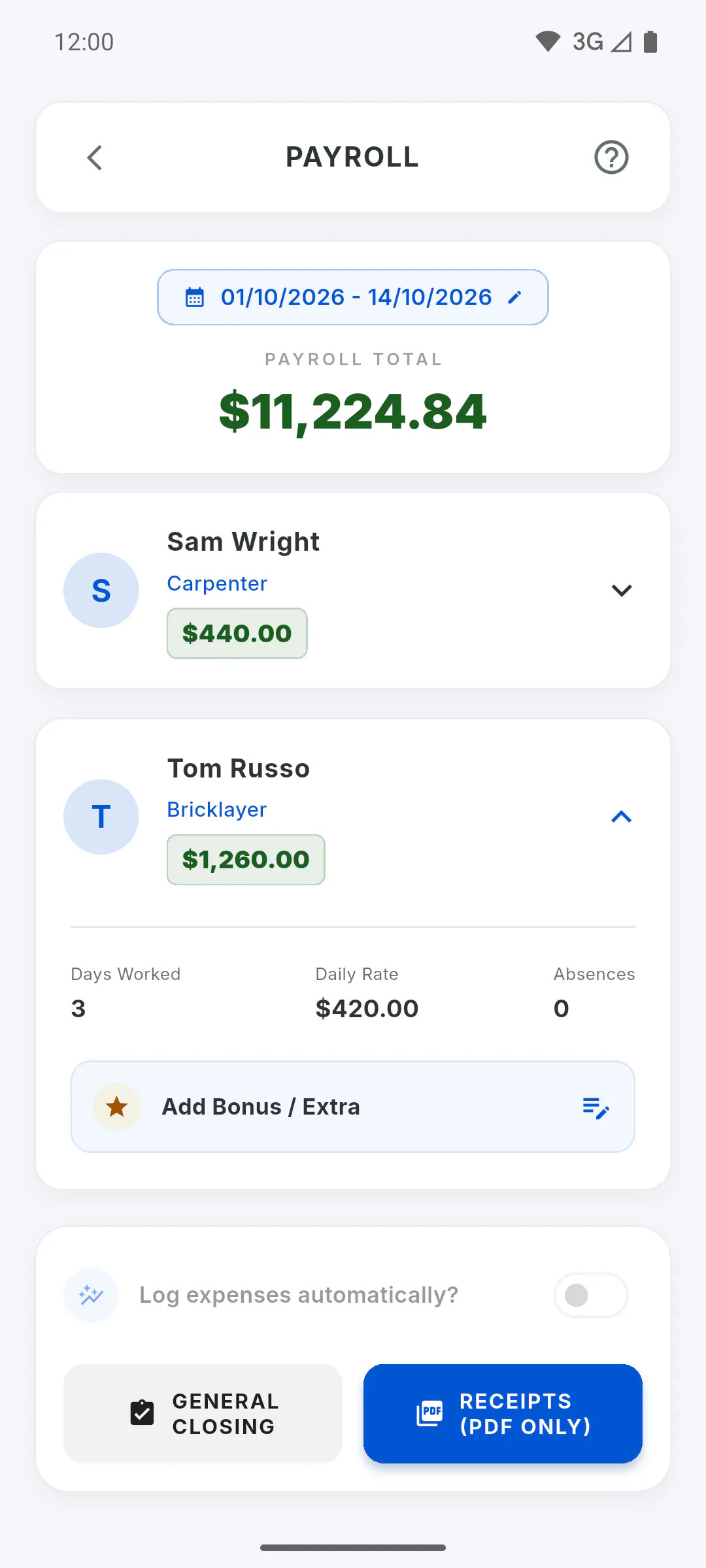
Step 2: Per Day
Each day is the attendance (Full Day = 1, Half Day = a half) times the day rate saved in that day's report, which is the profile rate when the report was saved. Changing the Base Value later doesn't change days already recorded. Two reports on the same day add up to one day rate at most. On the card, Days Worked shows the days and Daily Rate the rate; if it changed during the period, you see the average. Absences are for information only: day-rate workers are paid for the days they worked.
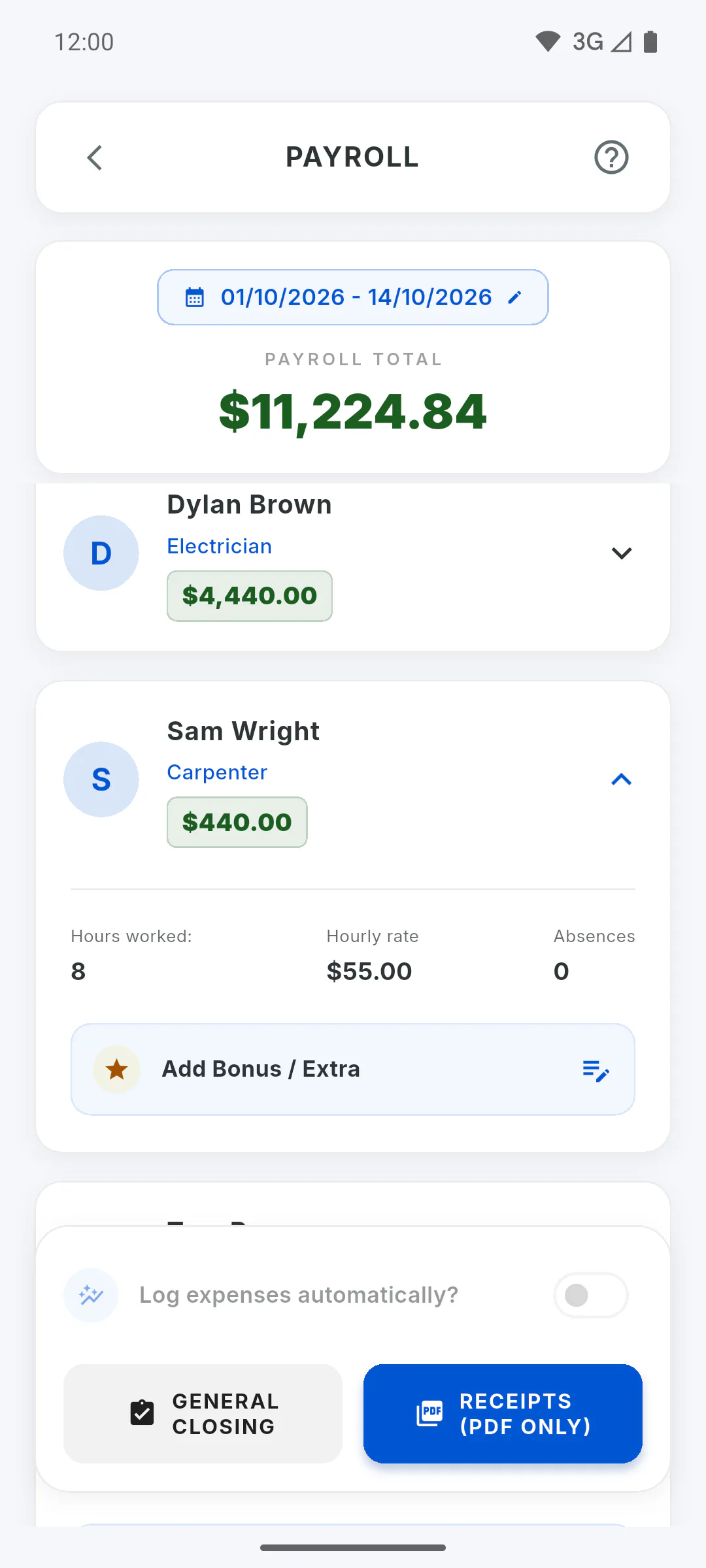
Step 3: Per Hour
Each day is the hours recorded in the report times the hourly rate saved in that report. The card shows Hours worked: and Hourly rate; if the rate changed during the period, you see the average.
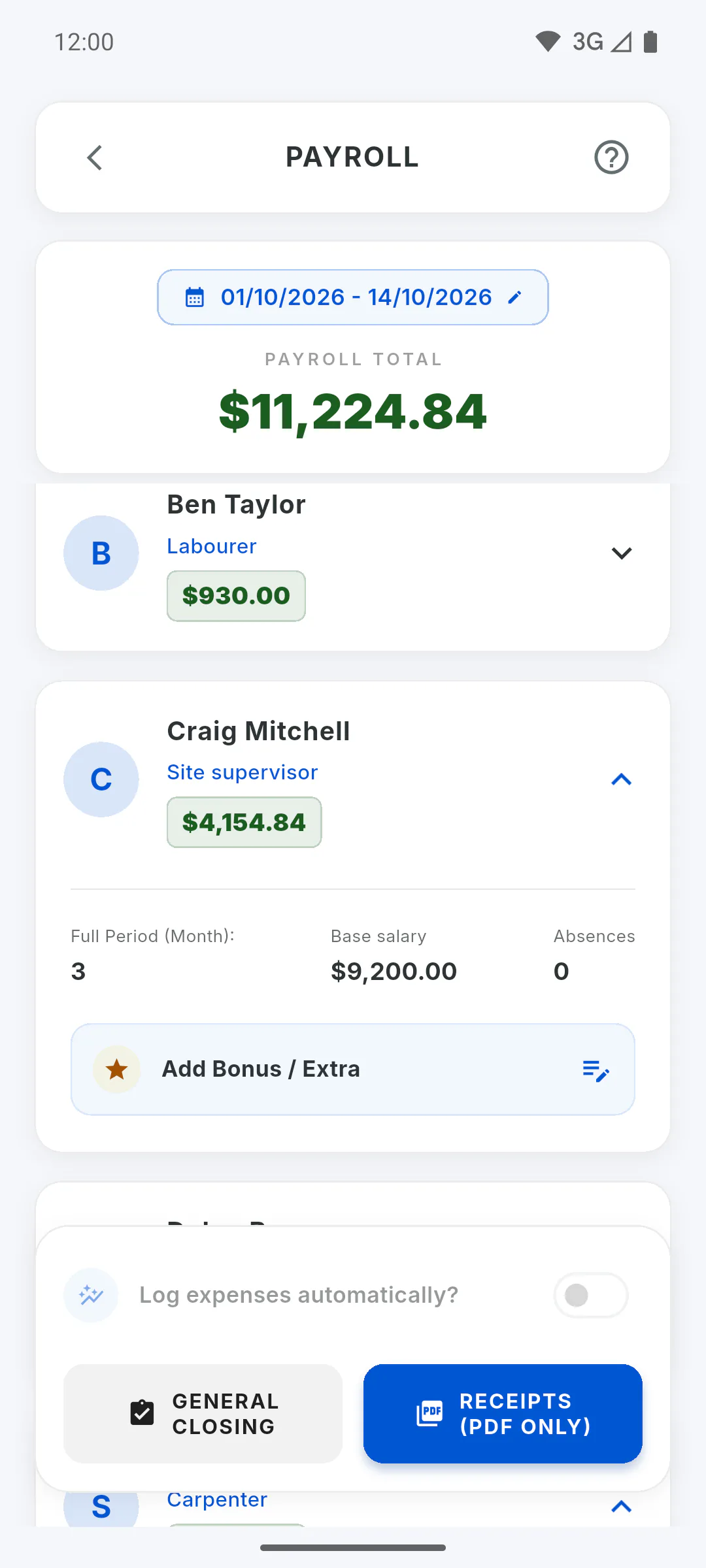
Step 4: Monthly
The salary counts for the share of the period: a full month is one salary, and part of a month is the calendar days in the period divided by the days in that month. Each absence marked in a report takes off 1/30 of the salary, and a Half Day takes off half a day. It's a simple calculation, the same in every country, not any country's employment law: if in doubt, check with your accountant. The math uses the current Base Value on the profile. On the card, Full Period (Month): shows the days present in reports and Base salary the profile salary.
Step 5: By Task
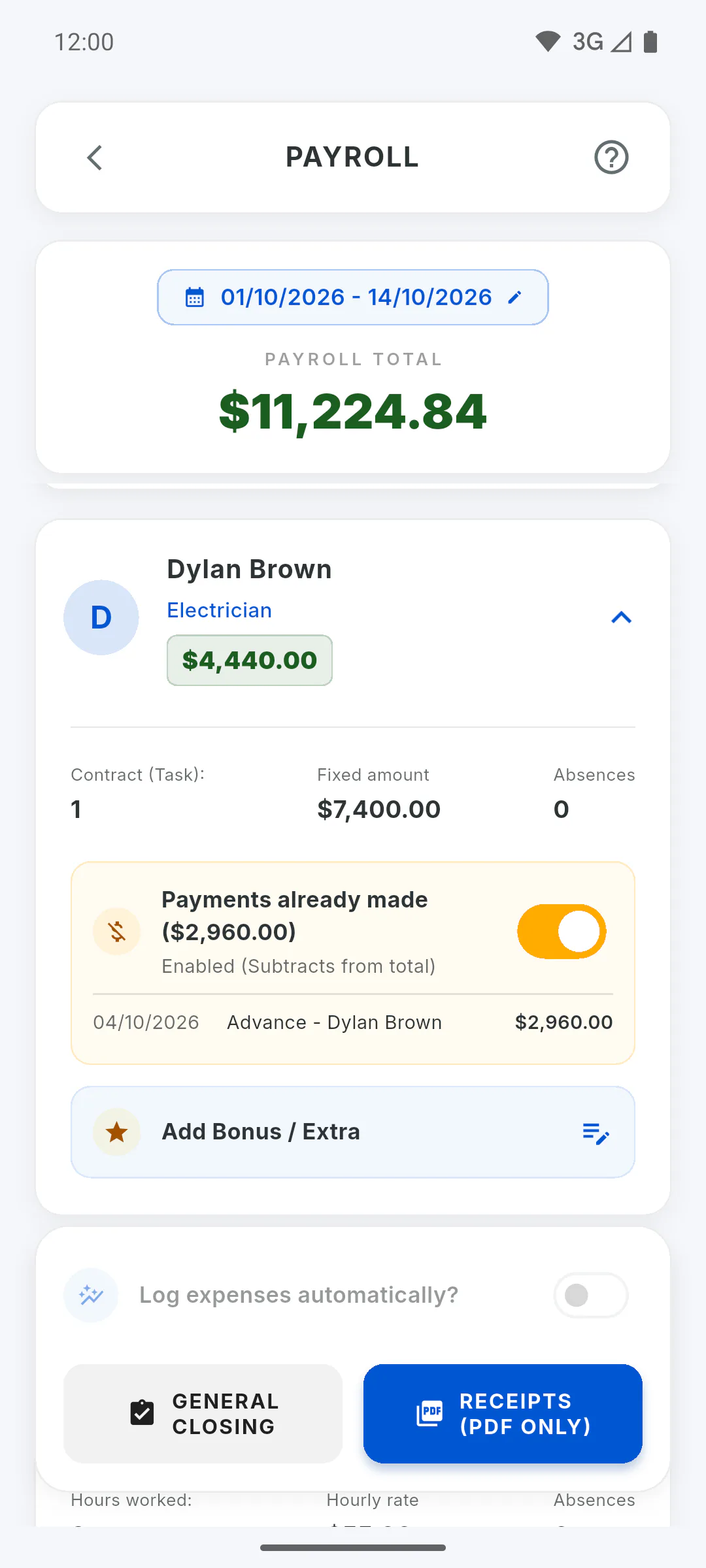
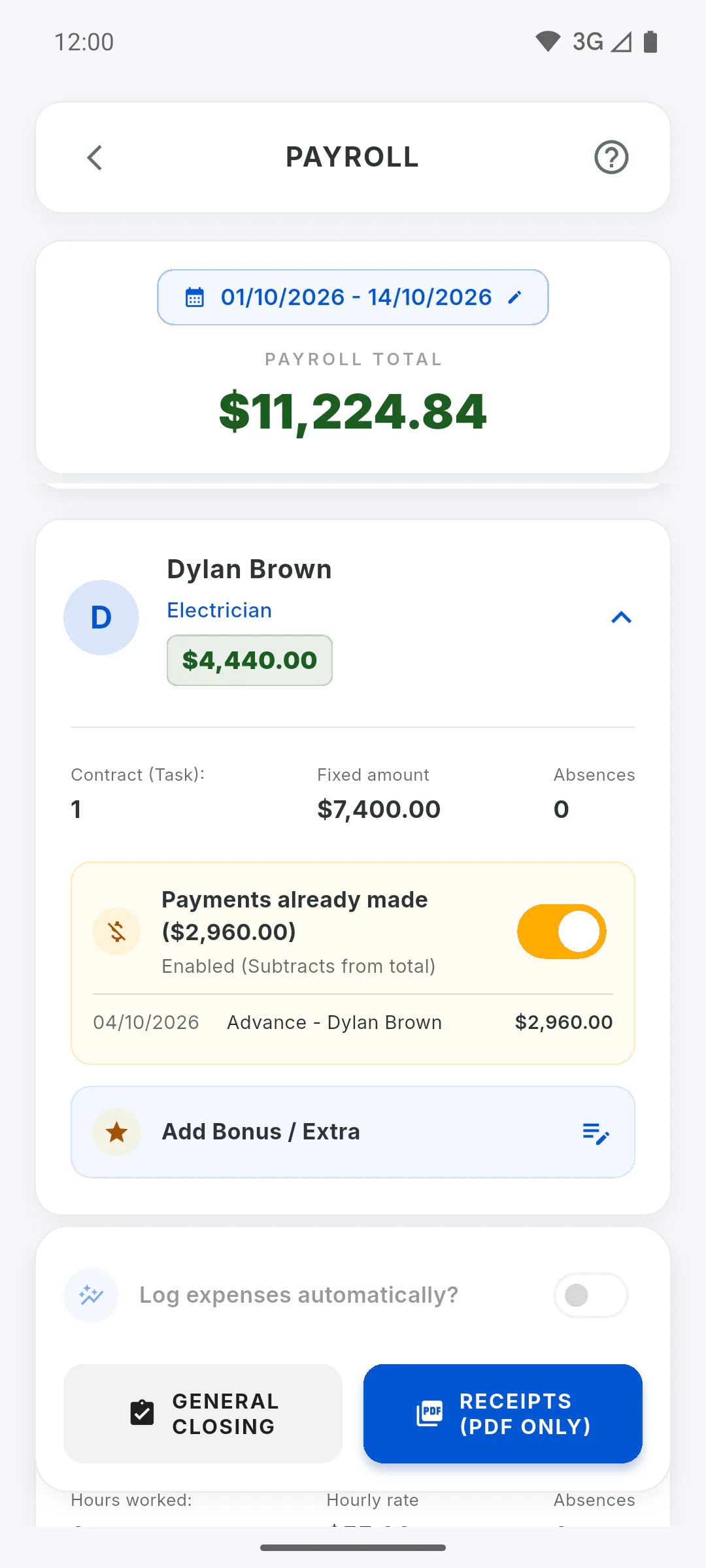
The amount is the one agreed on the profile (Fixed amount). The card shows Payments already made: every payment logged for them on this project, from any date up to the end of the period, with date, description and amount. The highlighted amount is the balance: the agreed amount minus what's already been paid. On the pay slip it appears as Balance Due.
Step 6: What they're owed
For each team member: the amount for the period, minus advances (with Deduct Advances on), plus the bonus. The Payroll Total adds these up for everyone whose rate is in the project currency. A bonus that payroll logs as an expense isn't counted again as an advance.
How payroll is calculated
Understand the payroll math for people paid per day, per hour, monthly or by task, and how advances, bonuses and absences affect what they're owed.
For managers6 steps
Didn't find what you were looking for?
Chat with support on WhatsApp or raise a ticket in the app.