
Step 1: Who can get it
The expansion adds 20 GB to the 10 GB included with PRO and is a monthly subscription separate from the plan. It's only for PRO users: on the free plan, the storage buttons take you to the PRO plans screen. Check how much space you have: How much storage do I have.
Step 2: Open the offer
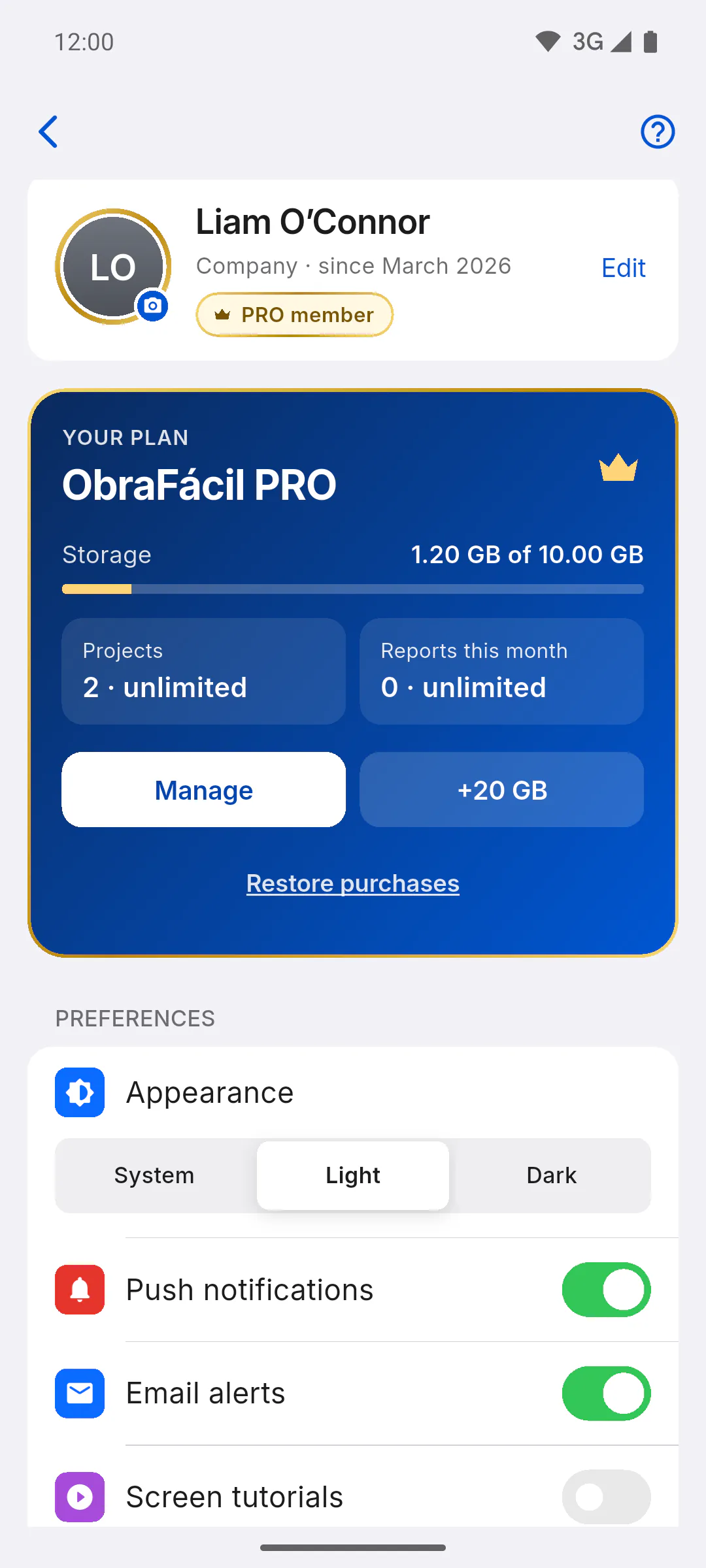
Open Profile and, on the YOUR PLAN card, tap +20 GB, next to Manage. You can also get there from the Resolve button on the storage warning at the top of the dashboard, or from Expand (+20GB) in the Storage Full window.
Step 3: Confirm the purchase
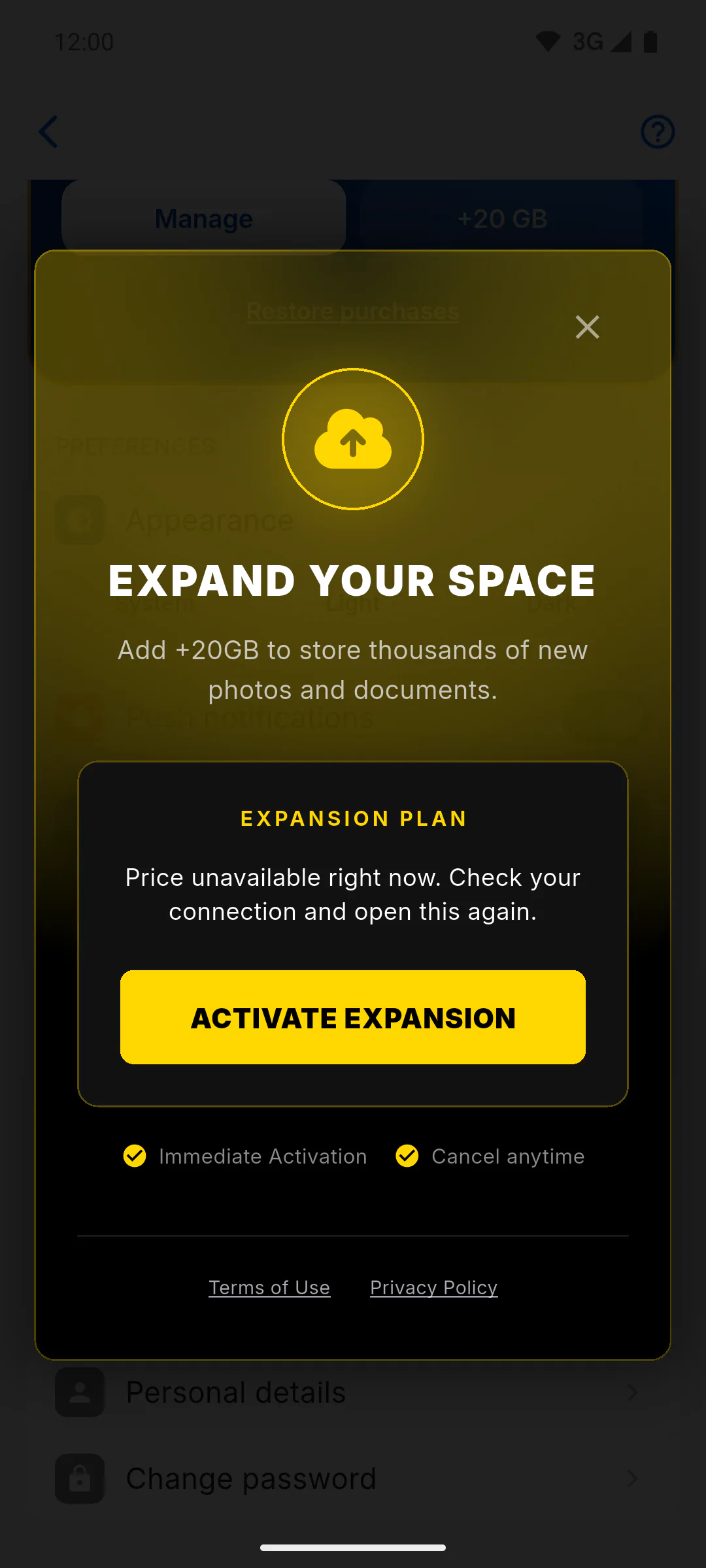
In the Expand Your Space window, check the Expansion Plan and tap Activate Expansion. The amount you'll be charged is the one shown by the app store or the payment page before you confirm.
Step 4: On a mobile
You buy it in the Google Play or App Store window. Once it's done, you'll see Success! +20GB added to your account. If you close the store window without confirming, you're not charged.
Step 5: On the website or a computer
The payment page opens in your browser and the app shows Processing Subscription... while it waits. Complete the payment in the browser: once it's confirmed, the window closes by itself and the same success message appears. If you prefer, tap Close and wait; the expansion turns on as soon as the payment is confirmed. This only applies to accounts in Brazil. Outside Brazil, subscriptions and purchases are made in the mobile app, on the App Store or Google Play; in the browser and on Windows you'll see Subscribe and buy in the app.
Step 6: After you buy it
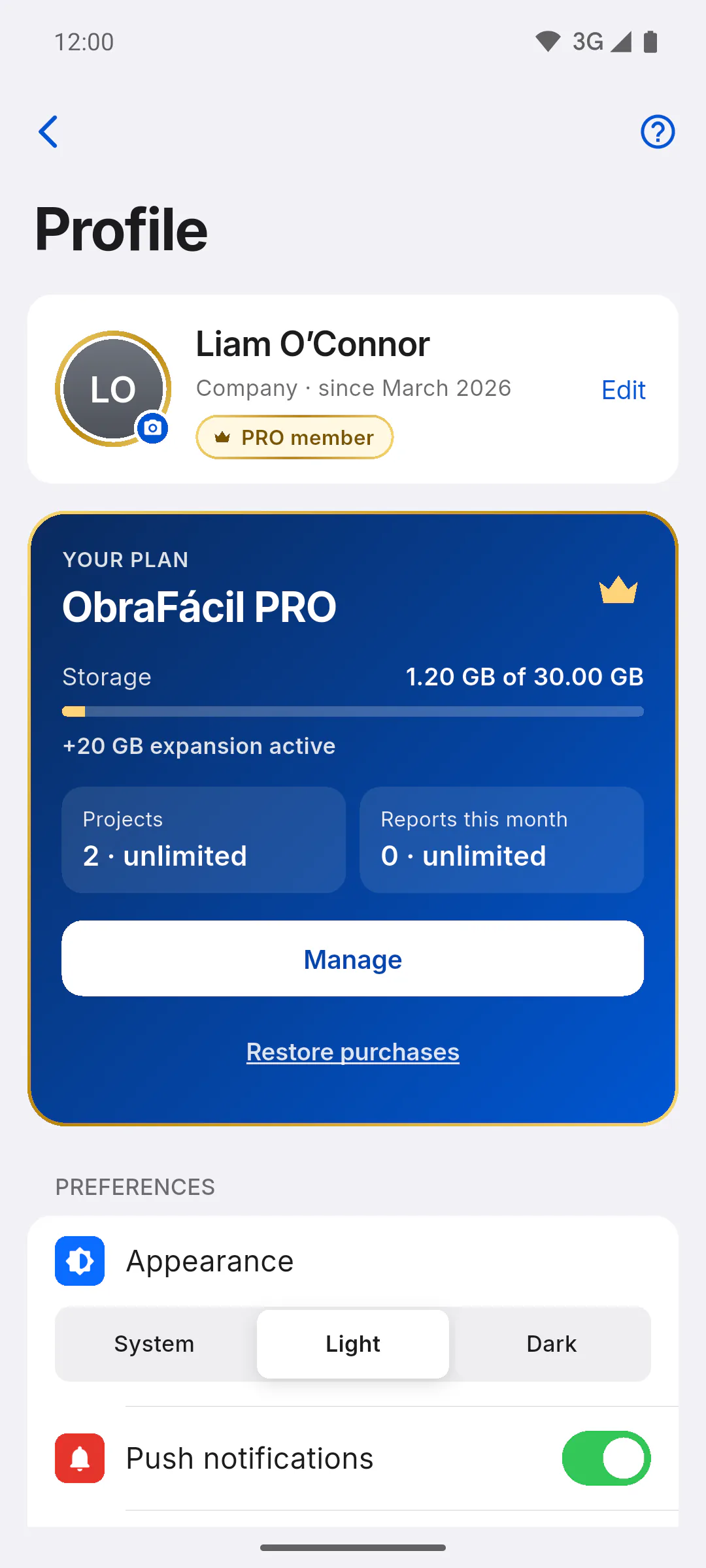
- Below the Storage bar, the card now shows +20 GB expansion active, and the bar's total goes up
- Buying it again doesn't add more space: the expansion is +20 GB, once
- Bought it on your mobile but the space isn't showing? Tap Restore purchases on the same card: How to restore purchases on your mobile
- To cancel, use Manage: How to manage or cancel your subscription
How to add 20 GB of storage
PRO users can add 20 GB to their plan with the storage expansion, a separate subscription. See where to buy it on your mobile and on the website.
For managers6 steps
Didn't find what you were looking for?
Chat with support on WhatsApp or raise a ticket in the app.