
Step 1: Where you paid matters
PRO and the storage expansion can be paid for in two ways, each with its own history and rules:
- on your mobile, through Google Play or the App Store
- on the website, on the payment page that opens in your browser
A purchase made in one place doesn't show up in the other.
Step 2: Purchases made on your mobile
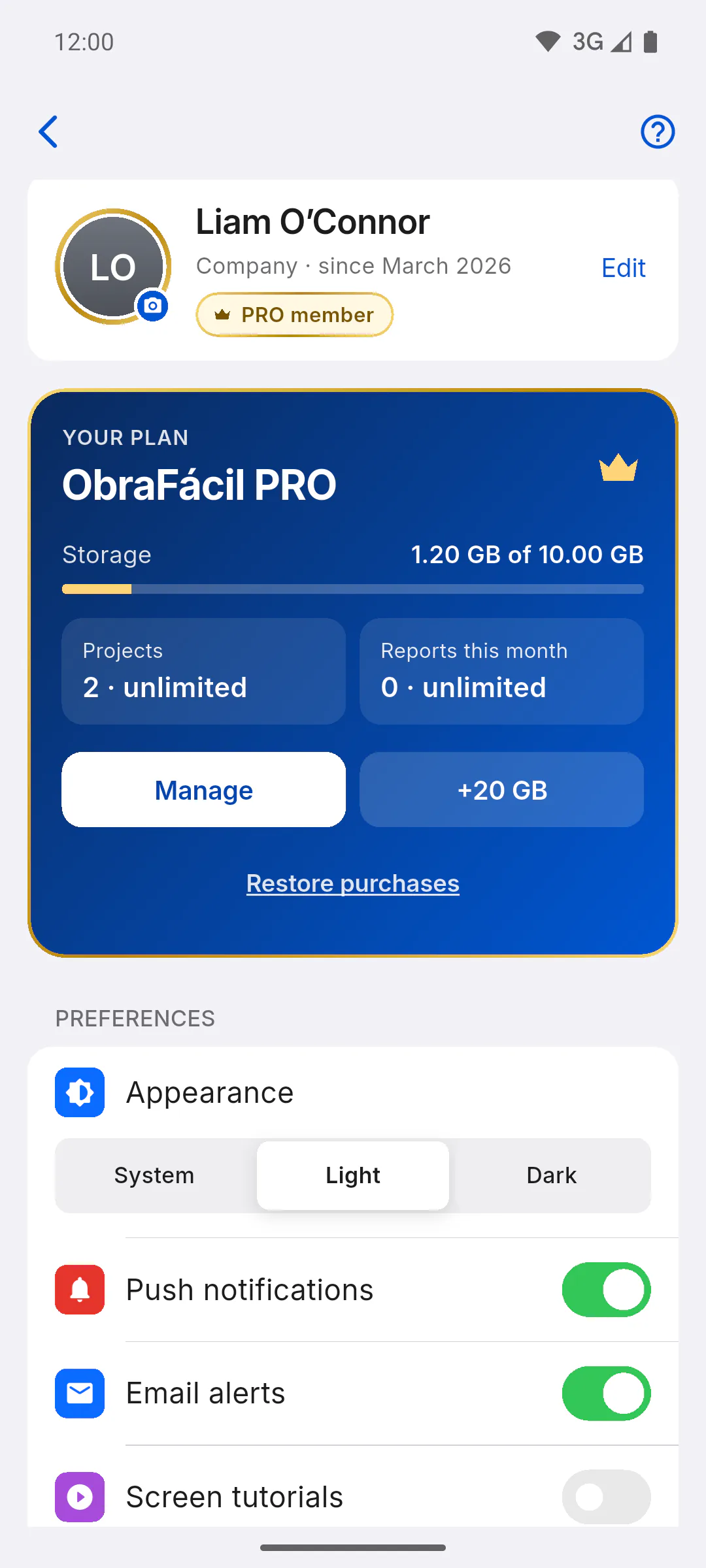
Open Profile and, on the YOUR PLAN card, tap Manage. On a mobile, the button opens the Google Play or App Store subscriptions area, where your charges and renewal are listed. You can also find these purchases directly in the store, signed in with the account you paid with.
Step 3: Purchases made on the website
In a computer browser, the same Manage button shows Generating secure access to portal... and opens the payment page, where you can check your charges and manage the subscription you took out on the website. If you subscribed through the app store on your mobile, that page can't find it and the app shows an error. The button only appears for paid PRO or storage expansion; Courtesy PRO has no payments.
Step 4: Refunds for mobile purchases
Purchases made on Google Play or the App Store are refunded by the store itself, under its own rules. ObraFácil can't refund those charges: request it from the store where you bought.
Step 5: Refunds for website purchases
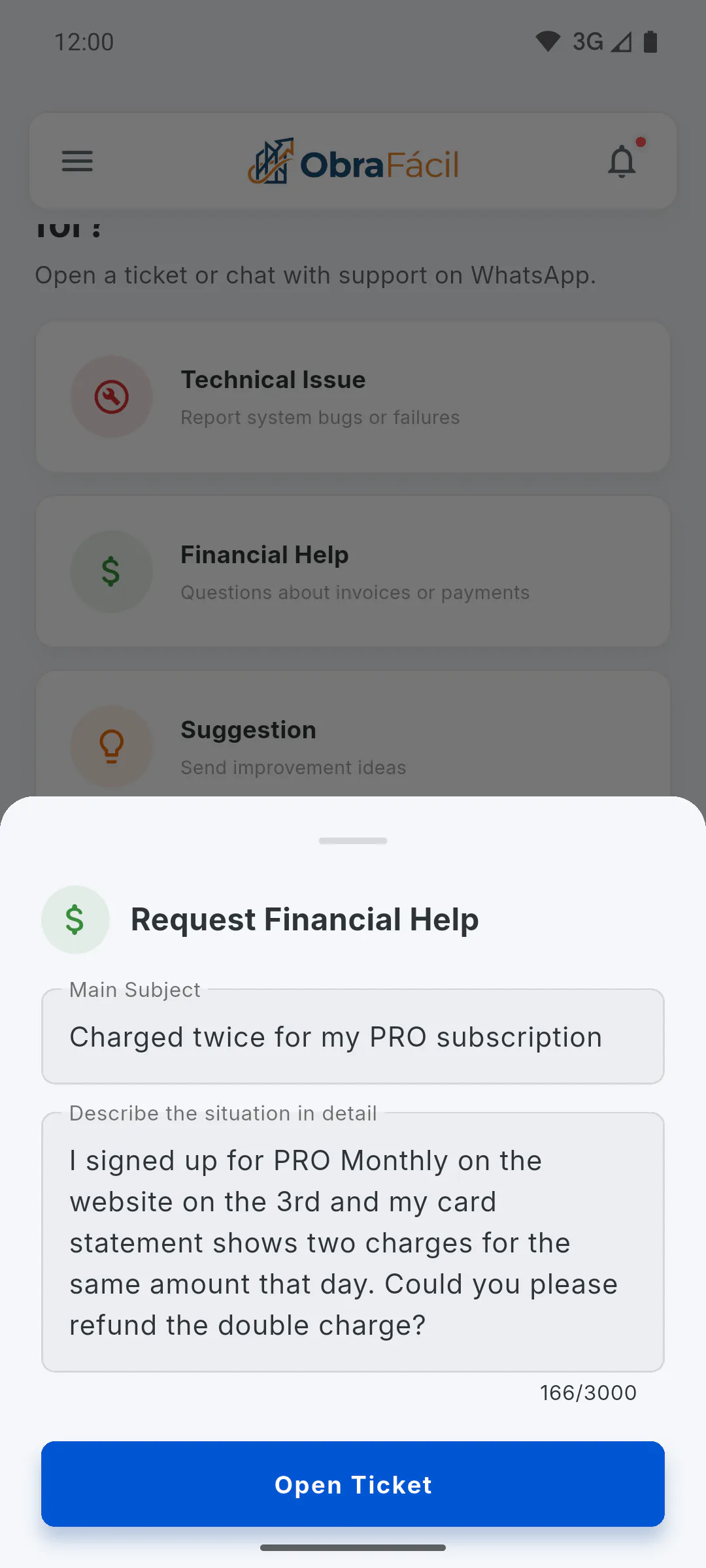
Open the Help Centre, tap Financial Help and, in Request Financial Help, explain what you bought, when and why. Tap Open Ticket. The team reviews your request and replies in the ticket itself and lets you know by email: How to open a support ticket.
Step 6: What the rules say
- Cancelling stops the renewal, but the current period isn't refunded pro rata; you keep access until the end of the paid period
- One-off purchases used right away, such as unlocking Client Access for a project or an extra downloads pack, can no longer be withdrawn from once used
- Deleting your account doesn't give you a refund
The full text is in the Terms of Use: Where to read the Terms of Use.
Where to see your payment history and how to ask for a refund
Your payment history and refunds depend on where you paid: in the app store on your mobile or on the website. See where to check each one and how to get your money back.
For managers6 steps
Didn't find what you were looking for?
Chat with support on WhatsApp or raise a ticket in the app.